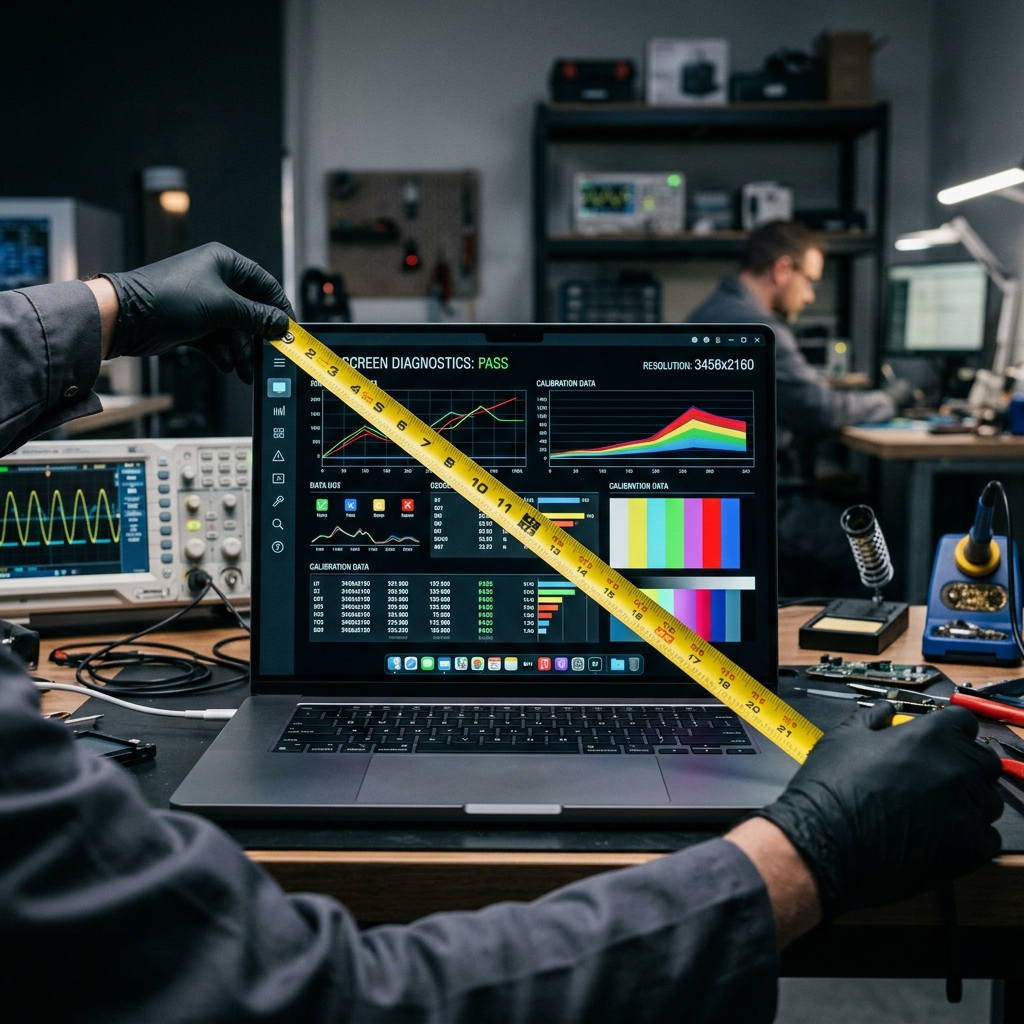
Whenever a beautiful new display panel catches your attention online, or you are looking for a perfectly fitted screen protector for a workstation, you are immediately confronted with a single number: the size in inches. "24-inch", "27-inch", "32-inch". Yet, measuring a monitor correctly relies on deeply misunderstood industry standards. In this professional hardware diagnostic guide, we detail exactly how to measure monitor size, how to easily avoid the common "bezel trap," and why the geometry of aspect ratios often makes a 32-inch screen feel vastly different than another 32-inch screen.
1. Why We Measure Diagonally
The global standard of advertising television and monitor sizes diagonally (from the bottom left corner all the way up to the top right corner) is a historical artifact from the earliest days of cathode-ray tube (CRT) technology. Because early glass picture tubes were incredibly heavy, completely circular, and projected onto a rectangular mask, engineers fundamentally measured the diameter of the circular glass tube rather than the horizontal width.
Even though modern liquid crystal displays (LCD) and OLED panels are manufactured in massive, perfectly flat rectangular sheets, the display industry fiercely maintained the diagonal measurement standard because a single diagonal number successfully conveys a large, impressive digit that consumers easily digest, rather than communicating a bulky "Width × Height" value. Because of this baked-in industry standard, you must strictly measure monitors diagonally if you wish to cross-reference sizes with manufacturer data sheets.
2. Preparing to Measure Properly
If you need to know the specific size of your equipment, attempting to "eyeball" the measurement or assuming the size based on a laptop's unverified chassis blueprint often leads to frustrating and terribly incorrect results. You must secure the fundamental measuring tools:
- A Quality Tape Measure: Use a standard retractable metal tape measure, or if you are specifically measuring an extremely fragile, uncoated glossy touchscreen, a flexible fiberglass tailor's tape is far safer to prevent accidental glass scratching.
- Good Lighting: Turn the monitor completely off. The harsh contrast between the deep black of the inactive panel and the dark matte grey color of the surrounding plastic bezels will become distinctly noticeable under strong localized lighting.
- Microfiber Cloth: Give the monitor an exhaustive wipe-down to ensure the edges where the lit pixels meet the unlit material are completely devoid of dust, improving edge visibility.
3. Execution: The Correct Measurement Method
Here are the concrete steps to execute a flawless size measurement on any modern digital display, completely removing the mathematical guesswork:
- Identify the Active Viewable Area: Crucially, do not hook the tape measure onto the outer plastic chassis of the monitor casing. Look extremely closely at the glass. You must identify exactly where the actual glass stops rendering pixels and the dead plastic/metal "bezel" begins.
- Anchor the Tape: Safely place the "0" point of the measuring tape exactly on the bottom left corner of the viewable active pixel area.
- Stretch Diagonally: Pull the tape tightly in a straight line entirely across the screen towards the top right corner of the viewable area.
- Read the Value: Read the exact number on the tape where the top right viewable corner meets the metal bezel. If you measure 27 inches, congratulations; you have successfully verified the manufacturer's claim of a 27-inch panel.
The Sneaky Bezel Problem
Many cheap manufacturers rely on tricky advertising by measuring the entire outer casing and labeling it mathematically. This is why a monitor heavily advertised as "24 inches" might have microscopic fine print clarifying a "23.6-inch viewable area." Always measure the pure active pixel zone. Never measure the plastic border.
4. What About Ultra-Wide Monitors and Geometry?
In classical geometry, the diagonal is calculated intimately through the Pythagorean theorem ($a^2 + b^2 = c^2$). You must deeply understand how the monitor's specific Aspect Ratio drastically affects the surface area of that diagonal mathematical line.
For example, a traditional 16:9 monitor (widescreen) with a 27-inch diagonal feels substantially "tall" and heavily box-like. By stark contrast, a 21:9 (ultrawide) monitor that also boasts a 27-inch diagonal will physically appear significantly "shorter" vertically. Because the 21:9 aspect ratio is drastically stretched horizontally, securing a 27-inch diagonal requires completely slicing off the top and bottom height. This mathematical illusion consistently misleads buyers who purchase an "ultrawide 27-inch monitor" and are entirely shocked by how tiny and aggressively flat the vertical workspace feels compared to their older 27-inch setup.
If you want to maintain the specific vertical height of a standard 27-inch widescreen monitor but violently expand your side-by-side multitasking capabilities, you must massively scale up the diagonal measurement and purchase a 34-inch ultrawide panel.
5. Determining Aspect Ratios from Physical Dimensions
Beyond the diagonal, determining the aspect ratio is an extremely helpful physical test, particularly if you are diagnosing older hardware in an office environment. Measure precisely the physical width (pure viewable pixel area) and formally divide it by the measured physical height.
If the final mathematical result is close to 1.77, you own a 16:9 widescreen panel. If the result lands around 2.33, you are running a 21:9 ultrawide panel. Finally, if the result is 1.33, you are likely diagnosing incredibly old 4:3 office hardware that severely needs an upgrade.
6. Conclusion: Never Get Surprised Again
Mastering the physical dimensions of your digital windows to the internet empowers you to configure your workspace smartly without randomly guessing. Knowing deeply how to measure monitor size diagonally and completely mitigating the unlit bezel ensures that whether you are searching for dual-screen mounting arms, precision fit monitor hoods, or essentially upgrading your daily command center, the mathematics of your hardware display completely matches your sophisticated visual demands.